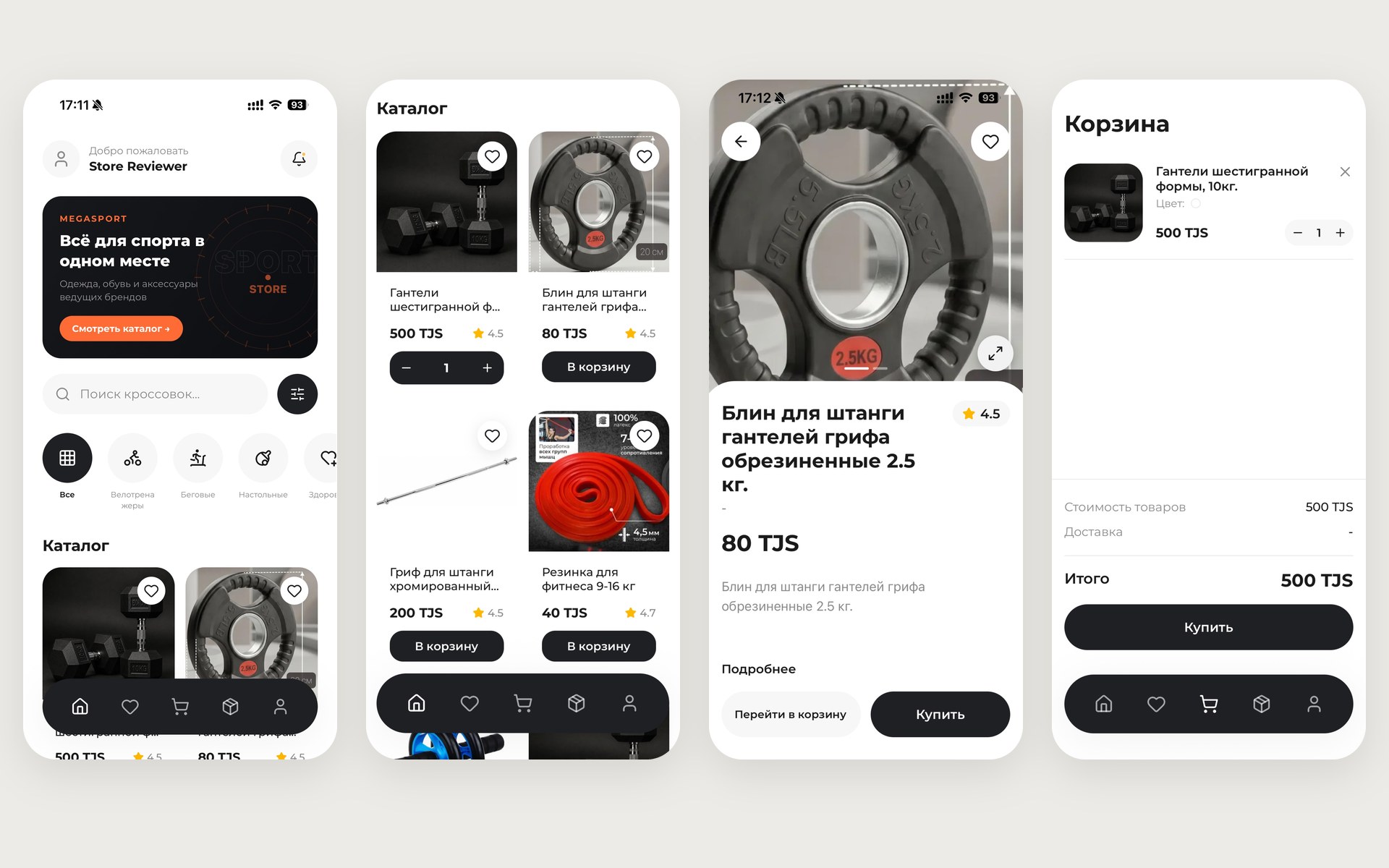
App
The app is live: you can install it and try it yourself.
Point your phone camera at the code — it opens the install page for your device.
Overview
Context
MegaSport sells sportswear, footwear, equipment and other sports goods. The store needed its own sales channel on the customer’s phone: so that products can be chosen and ordered at any moment, and people hear about their order status and new offers right away.
Goal
Build an app in which a customer finds a product, places an order and tracks it in a few taps, while store staff run the catalog, orders and broadcasts themselves. Installing it had to be easy on any phone — from a single link or QR code.
Architecture
Hover a node or pick a module in the table below to see what it does.
MegaSport
Modules
Stack
- Mobile app
- React Native, Expo, TypeScript
- Admin panel
- Next.js, Tailwind CSS, Tiptap
- Server and data
- Supabase: PostgreSQL, Row Level Security, Realtime, Storage, Edge Functions
- Notifications and SMS
- Expo Push (FCM, APNs), Payom SMS gateway
- Distribution
- App Store, EAS, Cloudflare R2 and Workers, Vercel
Results
- On the App Store and Android
- The app is published on the App Store, and on Android it installs from the store’s website while the Google Play release is under way.
- One link for any phone
- The QR code or link detects the device by itself: an iPhone opens the App Store, an Android phone opens the install page.
- Customers always know where their order is
- The status updates in the app instantly and arrives as a push notification.
- Sign-in without passwords
- Customers sign in with their phone number and a code from an SMS.
- A catalog without a developer
- The store manages products, photos, descriptions, promo codes and broadcasts itself in the admin panel.
- Updates without reinstalling
- Small changes arrive on the next launch, and the app announces a new version by itself.